The Oregon Institute of Occupational Health Sciences addresses the challenges facing the 21st-century workforce, providing new knowledge and evidence-based solutions to improve worker safety, health, well-being, and productivity in Oregon, the region, and beyond.
Our faculty uses the tools of basic, clinical, and applied research to promote well-being and prevent disease and disability among workers across industries. The Institute focuses on areas critical to worker safety, health, and well-being: environmental exposure to harmful materials and conditions, supportive workplace practices, sleep and circadian health, stress, and safety at work.
The Institute is home to the Oregon Healthy Workforce Center, a National Institute for Occupational Safety and Health (NIOSH) Center for Excellence for Total Worker Health®, and the NIOSH-supported Oregon Occupational Public Health Program.
Research
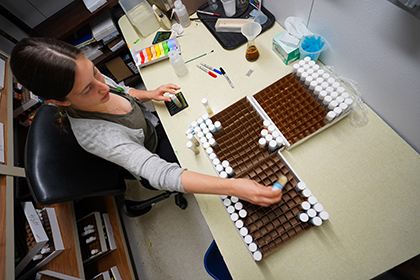
Our work begins with research. Institute faculty have expertise in workforce safety, health, and well-being. We specialize in studying health risks posed by workplace exposure to pollutants, materials, and environmental conditions, disrupted sleep and circadian clocks. Our research supports the development of workplace solutions and remedies, including supportive leadership, altered workplace policy and practices, and support for workers’ mental health. At the Institute, we bring together basic, clinical, and applied research within the framework of occupational health and safety. In this way, our basic research builds the scientific foundations for our clinical and applied research.

Collaboration
Partnerships are a cornerstone of our work. We collaborate with other researchers, labor groups, and non-profits, and with public and private sector organizations. These partnerships enable the translation of research findings into applications that benefit workers across industries.

Practice
Together with our partners, we develop tools, resources, and training to promote healthy behaviors, reduce instances of workplace injuries and fatalities, and enable leaders to take positive actions to enhance worker health, safety, well-being, and sense of belonging.
Overview - The Oregon Institute of Occupational Health Sciences
Our Institute addresses the challenges facing the 21st-century workforce, providing new knowledge and evidence-based solutions that improve worker health, well-being, and productivity in Oregon, the region, and beyond. We harness the tools of basic, clinical, and applied research to promote wellness and prevent disease and disability among workers across industries.
The Institute focuses on key areas critical to worker health and well-being: environmental exposure, supportive workplace practices, sleep, diet and exercise, and workplace safety.
Research in action

Addressing emotional exhaustion in primary care clinics
Institute researchers are developing and testing protocols to assess the efficacy of supervisor/employee “check-ins” to reduce emotional exhaustion in primary care settings. Researchers in Dr. David Hurtado’s lab seek to understand how workplace check-ins reduce burnout due to chronic work stress among workers in primary care clinics.

Sleep and circadian mechanisms in hypertension
Researchers at the Institute’s Thosar Lab examine the intersection between sleep and hypertension—a public health epidemic. Non-dipping hypertension is a condition in which blood pressure does not adequately fall during the night compared to daytime values and can dramatically increase the risk for cardiovascular disease and premature death.
Bisphenol-A (BPA) and liver cancer
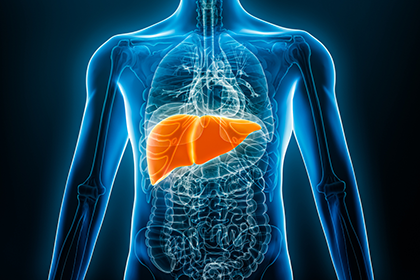
BPA is a chemical compound found in many consumer products. Research conducted at the Institute suggests BPA exposure is linked to liver cancer in a rodent model. Scientists in Dr. Caren Weinhouse’s lab investigate the role of BPA in estrogen signaling disruptions to explain higher rates of liver cancer in female mice. The study could provide insights into the health risks associated with BPA exposure.
Stay up to date

Read the Oregon and the Workplace News feed
The Oregon and the Workplace news feed features the latest from OccHealthSci research, professional development opportunities, and valuable insights from disciplines associated with occupational health, safety, and well-being
Learn more about our work

Newsletter
Explore professional development opportunities, the latest updates from the Oregon Healthy Workforce Center and the Occupational Public Health Program, a research snapshot, and upcoming occupational health-focused events.

News
The Oregon and the Workplace news feed features the latest from OccHealthSci research, professional development opportunities, and valuable insights from disciplines associated with occupational health, safety, and well-being.

Podcast
The What's Work Got to Do with It podcast, produced by OccHealthSci, brings together occupational health, safety, and well-being experts to discuss the latest topics relating to worker health, well-being, and safety in Oregon and beyond.