With five schools and more than 55 programs to choose from, your journey at OHSU is uniquely yours. At Oregon’s only academic medical center, you’ll find:
- Top-tier academic programs
- Support for success that meets your needs
- A strong sense of community
- Ways to contribute to clinical care and research, right from the start
- A destination for transformational learning
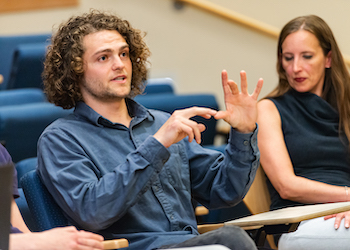
School of Medicine
The School of Medicine offers Oregon’s only M.D. program and dozens of graduate programs. Learn from renowned faculty at a place that cares about diversity.
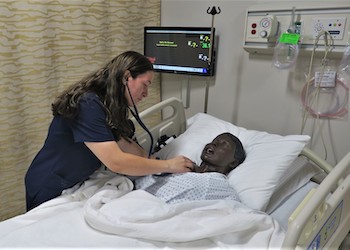
School of Nursing
Joining our School of Nursing’s programs is easier than you might think. We have five campuses across Oregon, and online degree options.
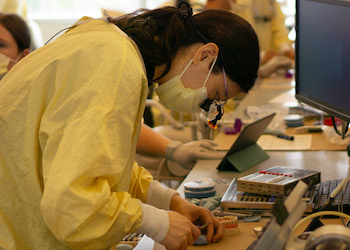
School of Dentistry
Oregon’s future dentists start at the School of Dentistry. You’ll find advanced training in a community of lifelong learners who care deeply about Oregon.
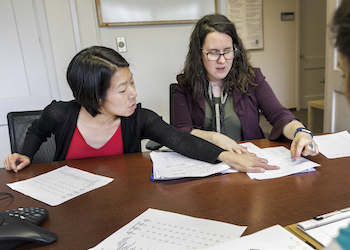
OHSU-PSU School of Public Health
Future public health leaders like you can end health disparities in Oregon and beyond. At the School of Public Health, you’ll learn on the ground in Oregon communities.
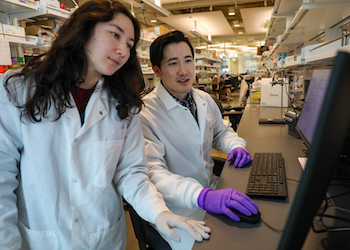
OSU-OHSU Doctor of Pharmacy Program
At the OSU College of Pharmacy, you won’t just learn pharmacy theory and practice. You can be part of innovative research and help make medications safe and affordable.
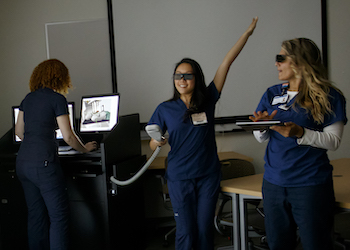
Health professions
At OHSU, you can prepare for a wide range of health care careers. Our health professions programs offer advanced training in a nurturing community.
A unique learning environment
You can create your own path at OHSU. Bring your curiosity and experiences. We offer dozens of disciplines, more faculty than students, and a culture of lifelong learning.
With the relationships and knowledge you build here, you will change the future of medicine — in Oregon and beyond. Learn why people like you choose OHSU.
Your perfect fit: Curious, motivated students thrive here. Create your own experience by contributing to faculty research, choosing our flexible Ph.D. program, or adding an M.S. or certificate to your education.
State-of-the-art simulation labs: Our simulation center is a leader in offering the most advanced technology and training features. You will experience hands-on education in an exciting and safe place to experiment.
Where the curious learn together: You can learn alongside students from across OHSU through our interprofessional education model. You can practice real healing through clinical experiences in communities across Oregon and around the world.
Contact information
Education news
- OHSU celebrates its 2026 graduates
- OHSU recognized in national effort to improve nutrition training in medical education
- OHSU enrollment reaches 10-year high
- New OHSU program honors rich American Indian and Alaska Native heritage
- OHSU School of Nursing graduates inaugural Bend cohort
- OHSU honors 2025 graduates
- OHSU’s digital nursing program is a pathway for aspiring clinicians in rural communities
- Match Day excitement: M.D. students celebrate a career-defining moment
- Dr. Fabrice Jotterand named Director for the Center for Ethics in Health Care
- OHSU awarded $1.4 million for new cancer drug development training program
OHSU news
- OHSU celebrates its 2026 graduates
- Doernbecher Freestyle 22: Meet this year’s patient-designers
- Higher suicide risk noted for certain subgroups of veterans with cancer
- Veterans face surprising threat after cancer diagnosis, study reveals
- Uniquely terrible’: OHSU finds abortion bans lead to worse outcomes for miscarriage treatment
- OHSU: National restrictions to abortion access are having ripple effects throughout rural areas
- OHSU Study Reveals Persistent Suicide Risk Among Veterans Battling Cancer
- Estudio de OHSU: los veteranos(as) con cáncer enfrentan riesgo continuo de suicidio
- OHSU study: Veterans with cancer face ongoing suicide risk
- Abortion bans are making miscarriage treatment more dangerous