Chemical Physiology and Biochemistry Summer Undergraduate Research Program (CPB - SURP)
2025 CPB-SURP Application Portal is closed.
Please check back next January for information about CPB-SURP 2026.
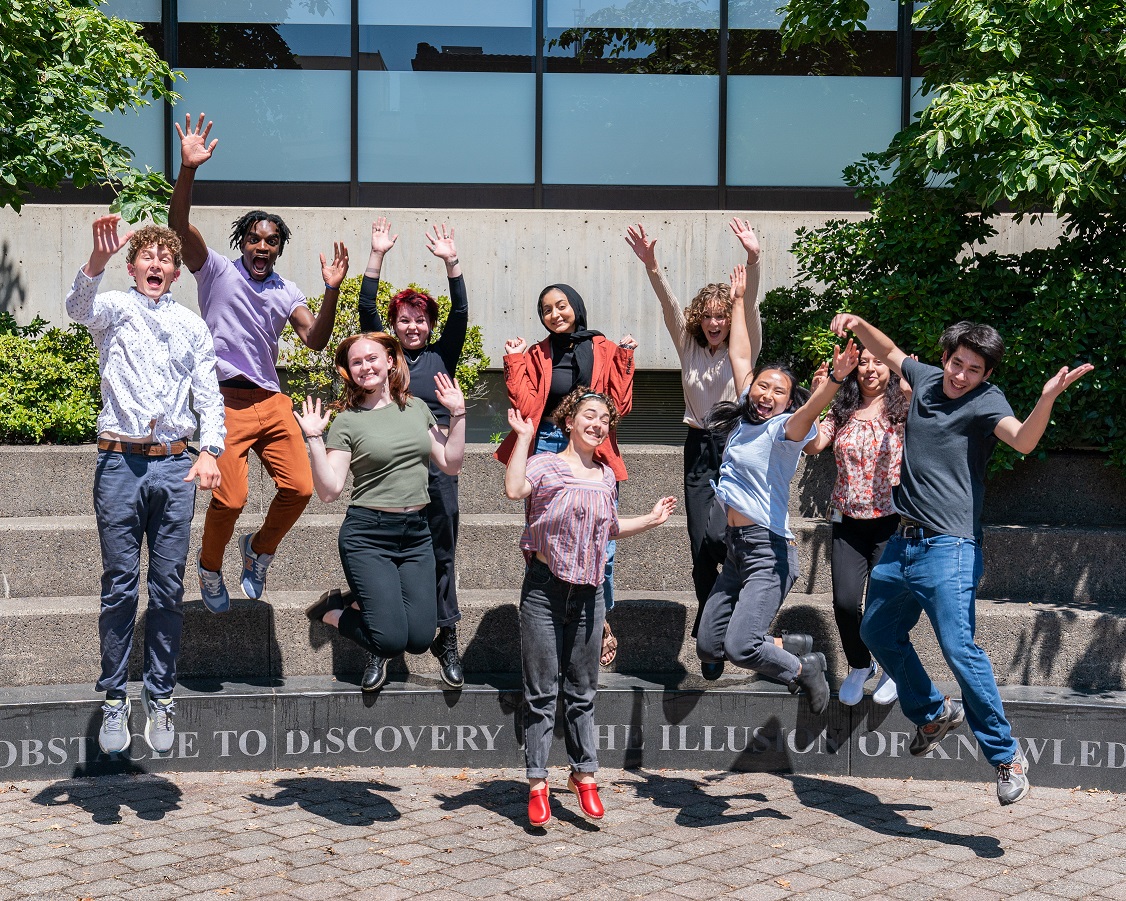
We are excited to announce the 2025 Chemical Physiology and Biochemistry Summer Undergraduate Research Program (CPB-SURP) at the Oregon Health & Science University in Portland, Oregon. CPB-SURP is a 9-week summer internship designed to provide undergraduate students with hands-on training in innovative research in the disciplines of chemical biology, biochemistry, structural biology and physiology, conducted at a leading academic health center in the beautiful Pacific Northwest. A major goal of this program is to engage students in state-of-the-art techniques in biomedical discovery, leading to uncovering the fundamental mechanisms of health and disease. Interns will also participate in career development activities, which will provide students with the skills and knowledge to assess and plan their future careers in science.
As a highlight of the experience, each intern will present their research at an intern research poster symposium. This fun event is an opportunity to showcase the interns' science and results, learn from others' presentations, and interact with interns across OHSU.
The following labs have summer internship opportunities available:
Click the below internship mentors to view the available 2025 CPB-SURP opportunities.
Benjamin Barad
The Barad lab uses cryo-electron tomography to understand how cells reorganize themselves in response to bacterial infection. Interns will be trained in and will perform mammalian cell culture and infection experiments as well as tomographic data processing including tilt series alignment and segmentation to help quantify the shapes of lipid bilayers within tomograms. Interns with background and interest in programming will have the opportunity to experiment with novel ways to make measurements of organelle geometry inside cells.
Michael Cohen
The Cohen Lab is interested in two main areas: 1. uncovering new roles for nicotinamide adenine dinucleotide (NAD+) regulation in cells and 2. elucidating the function of ADP-ribosylation, catalyzed by enzymes known as PARPs that use NAD+ as a substrate. The summer project will focus on using novel inhibitors of PARPs to explore the functions of ADP-ribosylation in cancer and immune cells.
Beth Habecker
The Habecker lab is studying nerves that control the heart. We are trying to understand how neuron-heart interactions during injury and disease contribute to bad outcomes and are asking if we can fix nerves to prevent cardiac damage. We have several different types of projects available to match student interest.
Meghna Gupta
The Gupta Lab research program broadly focuses on delineating the role of membrane proteins in human health and disease. We use biochemistry, biophysics, and assay development to characterize macromolecules of interest. We utilize the power of imaging at various scales via optical microscopy, cryo-electron microscopy (cryo-EM), and cryo-electron tomography (cryo-ET) to correlate molecular events with their cellular and physiological context. Students will learn to use many transferrable research tools.
Braden Lobingier
The Lobingier Lab studies a family of signaling receptors, called GPCRs, involved in drug abuse and mental health. We seek to understand how these GPCRs function at a cellular and molecular level under normal conditions and how these processes go awry following chronic drug exposure.
Show-Ling Shyng
The Shyng Lab is interested in understanding how a class of ion channels called KATP channels sense metabolic changes to control physiological processes such as hormone secretion, neuronal activity, and muscle contraction, how mutations in these channels cause disease, and how to treat diseases caused by dysfunction of these channels. We use a multidisciplinary approach that combines molecular biology, protein biochemistry, cell biology, electrophysiology, and structural biology.
2025 CPB-SURP Application Portal is closed.
The deadline to apply for this program was 9AM Monday, February 24, 2025.
-
2025 interns will start the summer program on June 16 and participate in the full 9-weeks. Any adjustments will be decided on jointly between the intern and the mentoring faculty member.
Participants will receive a stipend of $5,742 for the summer to cover travel, accommodations and incidental expenses.
Eligibility:
- Currently enrolled in an undergraduate degree program.
- Completed at least four semesters or six quarters of undergraduate study.
- Has a desire to explore advanced education and a career in biomedical research.
- Must participate in the entire 9-week summer program.
- Be available to participate in the internship poster symposium on August 15.
International students currently studying in the U.S. on a valid VISA are eligible to apply, pending the terms of their VISA and approval by their designated school official. Confirming VISA compliance is the responsibility of the intern prior to starting the program. We are not able to provide participants with a VISA through OHSU.
Extracurricular Activities
In addition to daily research activities, students will also participate in:
- Journal talks
- An intern poster symposium to present summer research
- Sessions on scientific and professional development
- Social and culture events
Accommodations and Local Transportation
Out-of-town interns in need of housing are encouraged to explore intern housing through Portland State University (PSU). PSU offers summer accommodations in their student dorms, with an easy commute to OHSU. Registration information for intern housing will be announced in February 2025. CPB is unable to arrange temporary housing for interns.
For interns who are interested, the program will provide Tri-Met passes for Portland's bus and light-rail system.
-
2025 CPB-SURP Application Portal is closed.
- Curriculum vitae
- Personal statement: a brief description (1 page) of your most meaningful research experience and future career goals.
- A list of up to three CPB faculty members you are interested in working with, along with a short paragraph describing your interests in their labs.
- Unofficial college transcript
- 2 letters of recommendation addressing your research and science experience. Letters must be sent separately by the recommender directly to CPBdept@ohsu.edu)
The deadline to apply for this program was 9AM Monday, February 24, 2025.
Questions and Assistance
Email the Department of Chemical Physiology and Biochemistry atCPBdept@ohsu.edu.